
In the following I put some programming utilities and tips I used: it was a private post but I decided to makes it public so, may be, it could be useful to someone else (even though it is not a well structured post 😦 … sorry for that!)
=============================================
Two hidden gems in the Universal Windows Platform (from Minerva’s blog):
- No more need of a BooleanToVisibilityConverter class: if we use the {x:Bind} markup extension (that was first introduced in the initial release of Windows 10), we can cast a Boolean property to a Visibility value directly in the XAML definition:
<Image Source="Assets/Favorite.png" Visibility="{<strong>x:Bind (Visibility)</strong>ViewModel.IsFavorited}" />
- Set the ItemsUpdatingScrollMode property of the ItemsStackPanel to KeepLastItemInView, that adjusts the scroll offset to keep the last visible item showing at the bottom of the view:
<ListView ItemsSource="{x:Bind ViewModel.Samples}">
    ...
    <ListView.ItemsPanel>
        <ItemsPanelTemplate>
            <ItemsStackPanel <strong>ItemsUpdatingScrollMode="KeepLastItemInView"</strong> />
        </ItemsPanelTemplate>
    </ListView.ItemsPanel>
</ListView>
==========================================
How to generate C# classes form JSON (or XML)
Download Web Essentials from the Visual Studio Gallery
To inspect JSON: Fiddler with JSONViewer plugin.
Quickly generate C# classes from JSON response (Download Web Essentials from the Visual Studio Gallery)
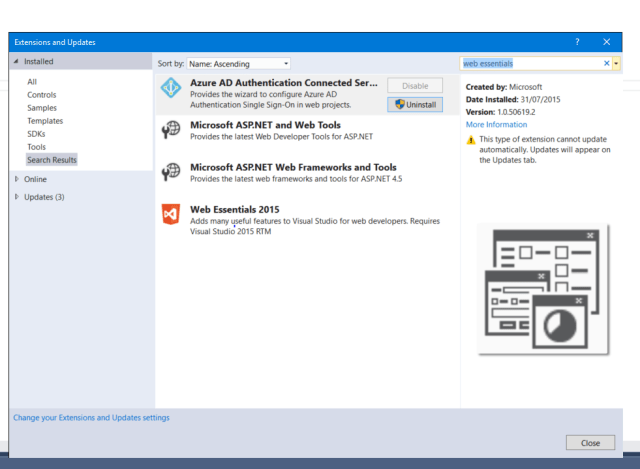
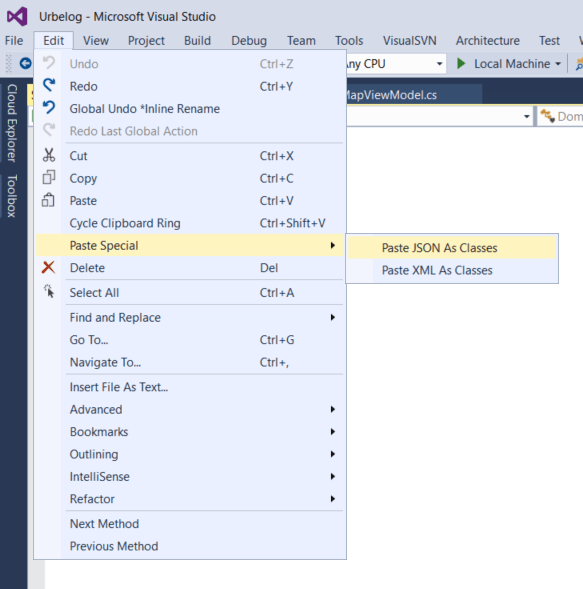
If you have Web Essentials in Visual Studio, go to Edit => Paste special => paste JSON as class.
Other options are:
- Use the free json2csharp web tool without installing anything.
- Use the free jsonclassgenerator.exe
- jsonclassgenerator converts to PascalCase but the others do not.
- Web Essentials 2015 from visualstudiongallery.msdn.com (GitHub repository)
- Windows 8: The right way to Read & Write Files in WinRT
- How to authenticate a Maps app
- How big is the physical screen http://dwcares.com/actual-size/


 Enzo Contini Blog