
I always appreciate the gesture that allows to have a window in full screen when dragged out of the top border of the display and even the feature to have the screen spitted into two sectors when a window is dragged on one of display side.


Possibly because I changed my second additional screen or because I inadvertently used a short key or even because of a Windows update, since yesterday I was not able to have that feature on both my main screen and the second one!
After some search in Internet I found that I was not the only one that had that “problem”.
So, what to do if you want again to have that nice behavior?
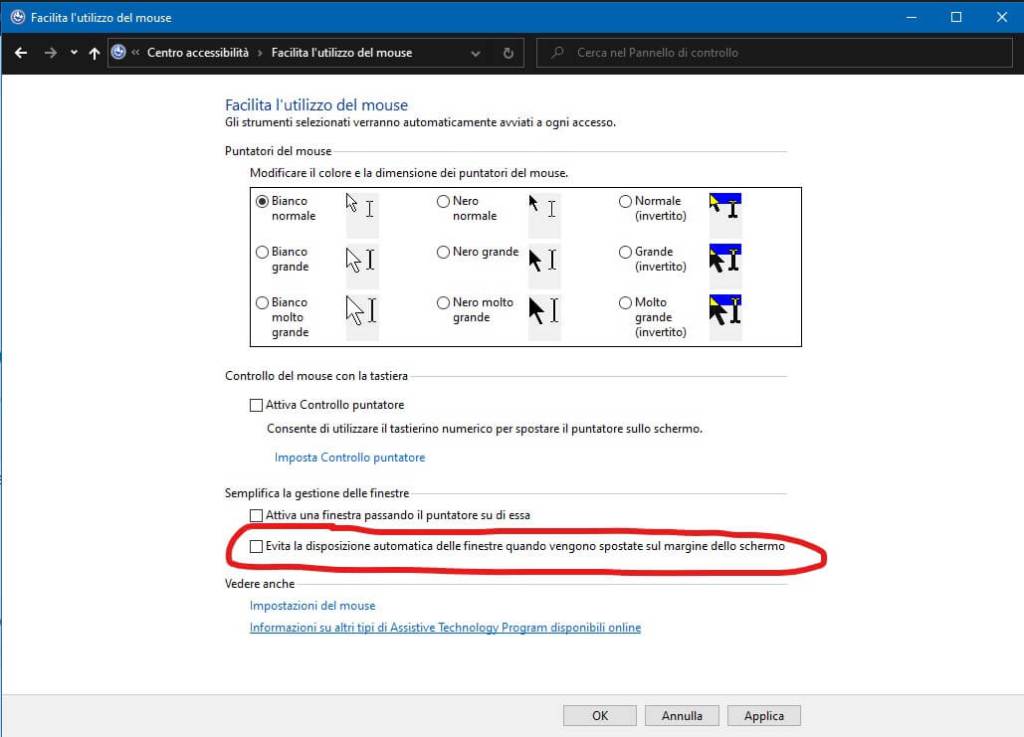
You must simply check one option available in the Easy of Access section in the Control Panel, the one related to Mouse Setting [IT: link].
You will probably find checked the option “Prevent windows from being automatically arranged when moved to the edge of the screen” … and so you have to uncheck it.


 Enzo Contini Blog