
I decided to sell with Subito.it all my diving equipment and so also the well known Aladin Pro together with its Memo Mouse and Data Trak SW. Therefore, if you are interested in buying it, you can contact me through that second-hand trading site 😉


However that SW was provided on a floppy disk and now it is very difficult to find a so old PC that allows to read that kind of memory device!!
Therefore I tried to find out where to download from Internet the last version of the Data Trak SW. I realized that now it is handled by SCUBAPRO and any software or manuals can be downloaded from their website and specifically from its manuals and SW section.

SCUBAPRO manuals and SW section.
From there you can find even the link to download Data Trak SW in its last 3.0.6.0 version.
Looking into the file properties, I realized that SW version if dated 16/12/2004.

Because on that year there was Windows XP (version with service pack 2), the Setup of that SW it is better to be performed setting the compatibility mode as follows (right click on Setup.exe and select the Properties item in the list):
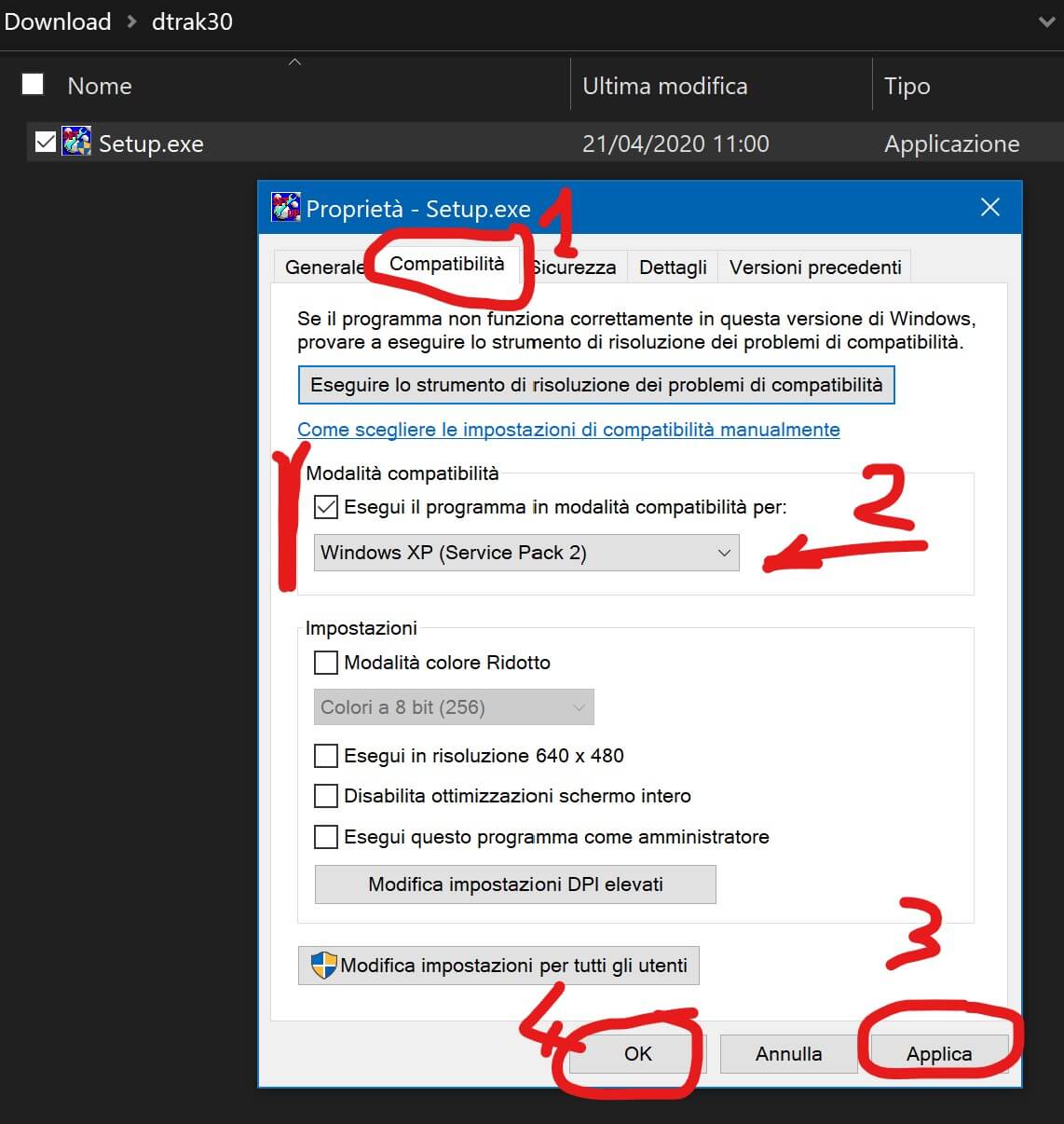
Properties compatibility tab – Set the the Setup.exe of the Data Trak SW in Windows XP (service pack 2) compatibility mode
After the installation done in that compatibility way, I run the program and checked that it works properly even in Window 10!!


Data Trak SW still works properly in Windows 10, when installed with compatibility mode set in its Setup.exe file
You can download even its manual, DataTRAK Manual too.
Finally you can find there also Aladin Pre-2004 (PRO, ULTRA, Sport Plus, Sport), that is a zip file containing the manuals for Aladin dive computers sold before 2004: Aladin Pro, Aladin Pro Nitrox, Aladin Sport, Aladin Sport Plus, Aladin Pro Ultra).
For any other question the Team SCUBAPRO – Johnson Outdoors Diving LLC – SCUBAPRO® – can be contacted through its site costumer service or by phone (800.467.2822)


 Enzo Contini Blog
Sorry. I have no more the Aladin and DataTrack, so I cannot help more than what I wrote some years ago in this post of mine!
"Mi piace""Mi piace"
im having trouble getting my aladin nitrox to transfer log books to my computer was working ok till I lost the logs on it that were tranfered before.
Also how to tranfer old log book files to data track and save
"Mi piace""Mi piace"